I may have mentioned that I rarely take my camera with me on our daily walks. They’re long and the camera gets to be a little much to carry at times, especially when it’s hot. Thankfully, I always have my cell phone to capture our encounters with Mother Nature.
One day, a couple of weeks ago as we were heading back to the car, I heard a rustling noise. I knew it wasn’t a squirrel or bird because it was more of a slow-moving rustling and sounded like something crawling over and through the brush. I looked to my right and saw a huge turtle. The huge kind of turtle you approach cautiously. I pulled out my phone and snapped off a couple of photos. He just sat there, patiently not moving.
“Take a walk with a turtle and behold the world in pause.”
~Bruce Feiler
The original photos were fine, but I knew I could make them a little better in Photoshop Elements.
With both photos I first cropped them and then removed the haze. This made them a little sharper and gave them each more defined/richer colors. I then used the Depth of Field Tool, the Orton Tool, the Vignette Tool, added a few color corrections and eliminated some brush that was a distraction to the eye (I’ve used the “compare slider” to help you see the before and after).
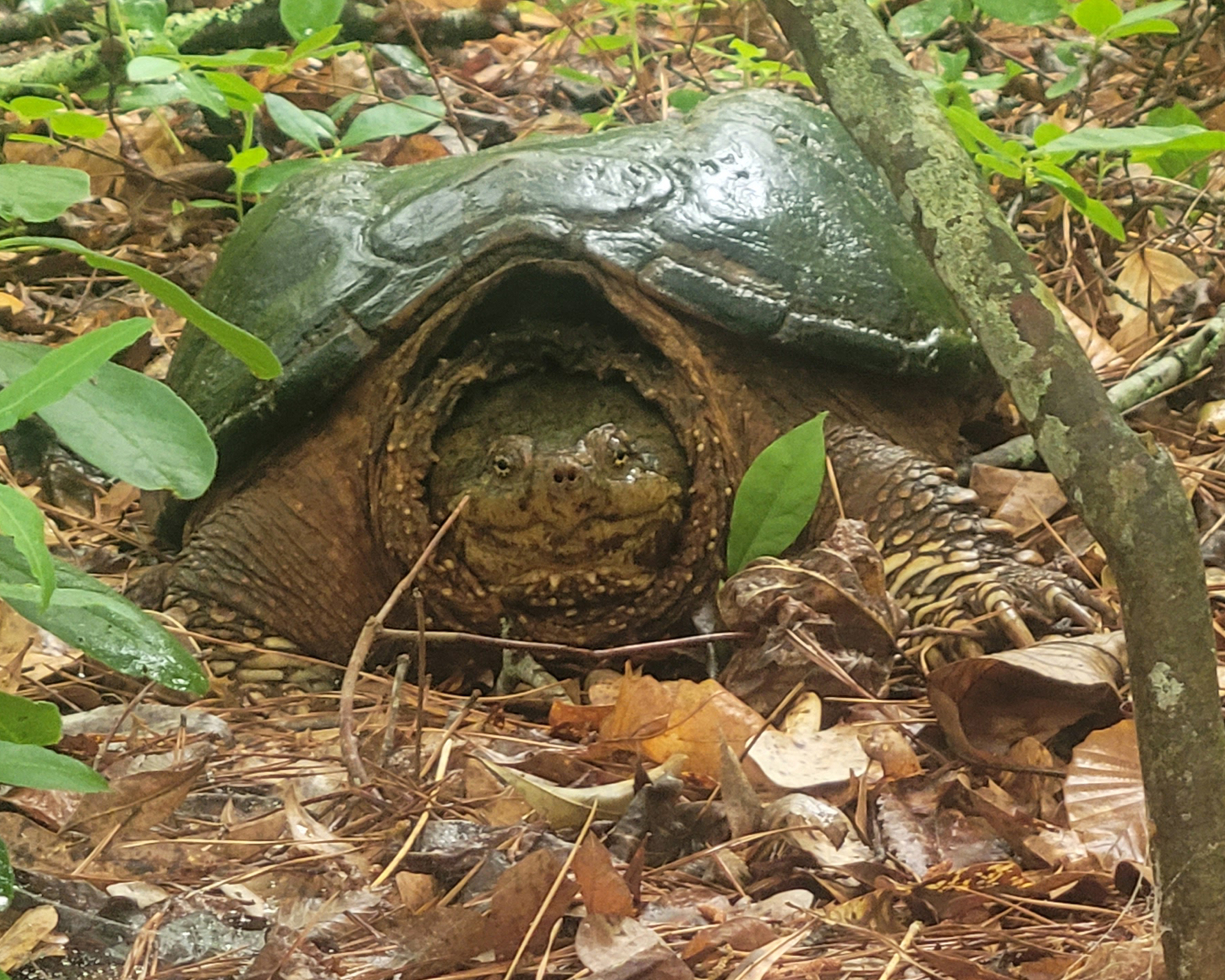


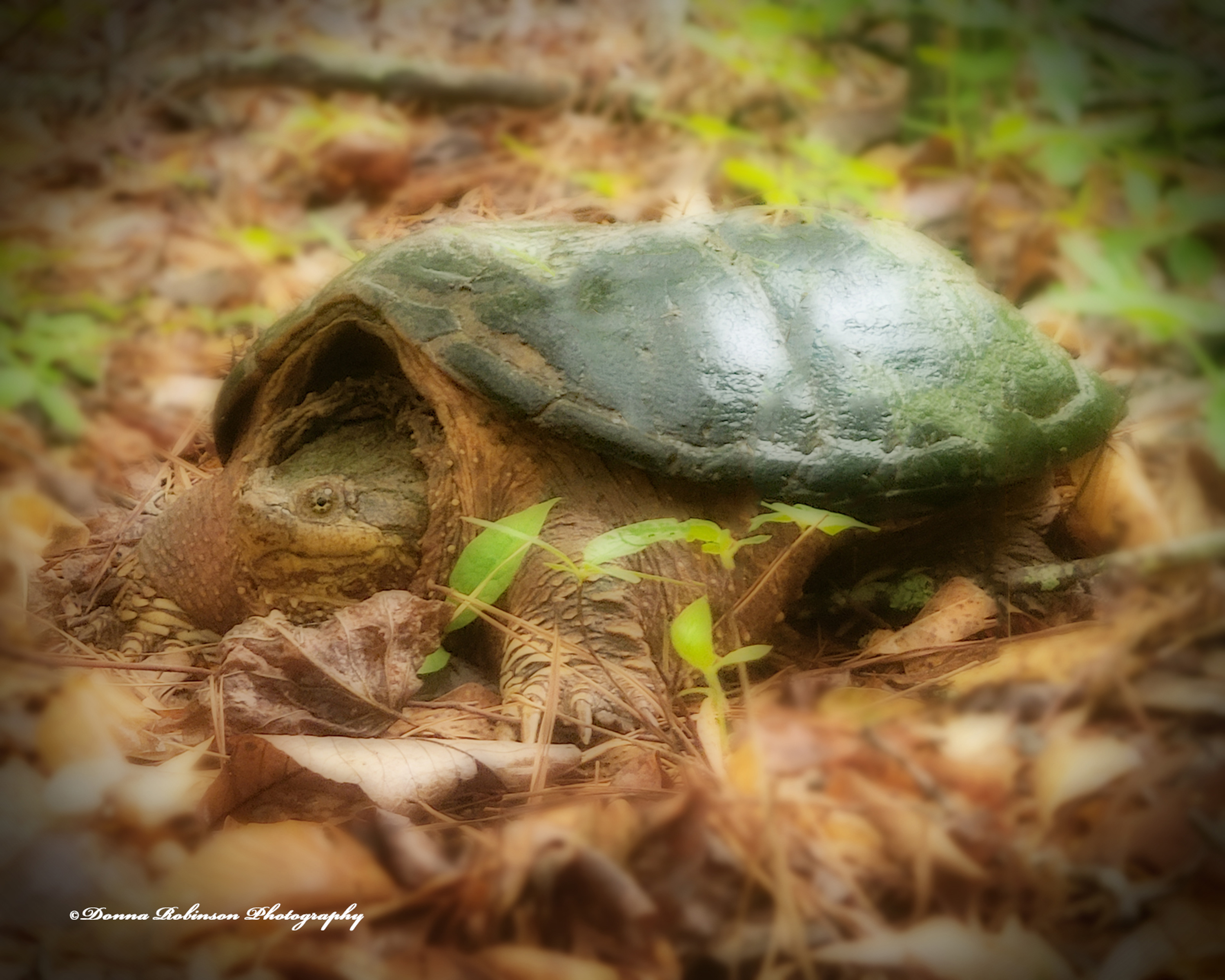
I really like how these turned out as the turtle has a “fairy tale” look about him. What do you think?
Posted for Journeys with John Cell Pic Sunday.
Until next time,
~donna
 Donna Robinson Photography
A magical turtle with a Photoshop passport—he looks straight out of a forest fable! Loved the pause, loved the polish! 🐢✨
SudoFilozoper [your new follower]
LikeLiked by 1 person
Thank you! He was kind of magical!📷😎🐢
LikeLiked by 1 person
Welcome DR
LikeLiked by 1 person
Sorry for my late response, Donna! I forgot to check my spam folder this week. For some reason, your post was tagged as spam.
Nice capture, and nice effects with Elements. It’s a great program, and I used it for many years before finally subscribing to Lightroom and Photoshop.
LikeLiked by 1 person
Thank you, John! I have Lightroom and have thought about subscribing to Photoshop. I just haven’t pushed myself out of my comfort zone to make the investment……..some day perhaps…..
LikeLiked by 1 person
Looks a bit scary. But at least it won’t be able to run after you.
LikeLiked by 1 person
True! I wasn’t about to get too close to him….just close enough to get a good shot!😎📷
LikeLiked by 1 person
Nice work Donna! You had a willing subject. 😊
LikeLiked by 1 person
Thank you, Anne! 📸😎
LikeLiked by 1 person